Writing comes in so many forms. Today, my students practiced labeling. I began by showing them a few suggestions on how to use the iPad by projecting its image via my classroom projector and VGA adapter. I showed students how to use the camera app to take a self-shot. They learned how to turn the camera around and where the actual lens is located.
Once they had a photo, I showed them how to open it up in Doodle Buddy to use it as the background for labeling. Students then identified the parts of their body in French. Once complete, I took a screen shot and saved it then emailed the photo to their Evernote account (e-portofolio) by writing the child's name in the subject line (i.e. @John). All the finished photos are now saved in the student's Evernote personal notebook.
The musings of one teacher's adventure learning how to use the iPad in a primary French immersion classroom.
Friday, 23 March 2012
Wednesday, 22 February 2012
Evernote and 'saving' work: ePortfolios
As I am very new to the use of iPads in the classroom, I was struggling with a way to 'save' (in the traditional sense) the work students are creating. I only have 6 iPads for my class of 23 students AND we share the devices with three other classes in the school. I was concerned that some of the more intermediate students might delete projects or that primary students would delete work unintentionally.
I knew Evernote was the answer I was just not sure exactly how it worked. After reading many blogs, googling it, and watching youtube videos I figured it out (it's really quite simple!).
I created 'notebooks' for all the students in my class. Evernote provides you with a unique email address to send all documents to. These documents are then accessible from any device, anywhere, anytime. It also synches automatically in all places.
Now, when we finish something we email it directly to my Evernote account with that student's name in the subject line i.e. @Peter. If email is not possible, we take a screenshot and then email it or send it as a video link. I was also able to email their stories they created using the MyStory app a few weeks ago.
This is the start of my ePortfolios. I am trying to use the iPad to gather data on the students as they work. I take screenshots of their work. I have even started to put little assessment notes on the pictures. I created separate notebooks for assessment and for the portfolios I plan to share with parents (ones that don't contain my evaluation and assessment comments). I really like the idea of moving to a more paperless classroom; however, I need more iPads :)
A few issues:
I started recording my students' reading aloud with the video while doing a running record. I found that the video is too long to send to Evernote. Does anyone know of an app to use or another way to do it?
With my free education account I am only able to email 50 documents a day and I seem to hit that number a lot lately. I guess it's time to spend more $$.
I know there are infinite more possibilities with this app and I am slowly exploring them all. Feel free to share any ideas.
I knew Evernote was the answer I was just not sure exactly how it worked. After reading many blogs, googling it, and watching youtube videos I figured it out (it's really quite simple!).
I created 'notebooks' for all the students in my class. Evernote provides you with a unique email address to send all documents to. These documents are then accessible from any device, anywhere, anytime. It also synches automatically in all places.
Now, when we finish something we email it directly to my Evernote account with that student's name in the subject line i.e. @Peter. If email is not possible, we take a screenshot and then email it or send it as a video link. I was also able to email their stories they created using the MyStory app a few weeks ago.
This is the start of my ePortfolios. I am trying to use the iPad to gather data on the students as they work. I take screenshots of their work. I have even started to put little assessment notes on the pictures. I created separate notebooks for assessment and for the portfolios I plan to share with parents (ones that don't contain my evaluation and assessment comments). I really like the idea of moving to a more paperless classroom; however, I need more iPads :)
A few issues:
I started recording my students' reading aloud with the video while doing a running record. I found that the video is too long to send to Evernote. Does anyone know of an app to use or another way to do it?
With my free education account I am only able to email 50 documents a day and I seem to hit that number a lot lately. I guess it's time to spend more $$.
I know there are infinite more possibilities with this app and I am slowly exploring them all. Feel free to share any ideas.
Wednesday, 15 February 2012
100 days at school and Doodle Buddy
If you are a primary teacher, you are aware of how important 100 day is. I wanted to try and think of something different to do with my students to celebrate the day. I decided to use a centers approach to math today. The iPads were one of those centers.
Students used the Doodle Buddy app to create a representation of 100 things. They used the stamps to stamp 10 different examples of 10 things to make 100 total. At the end of class, we shared their projects using the VGA dongle and my projector.
Below are some examples.
Students used the Doodle Buddy app to create a representation of 100 things. They used the stamps to stamp 10 different examples of 10 things to make 100 total. At the end of class, we shared their projects using the VGA dongle and my projector.
Below are some examples.
Monday, 6 February 2012
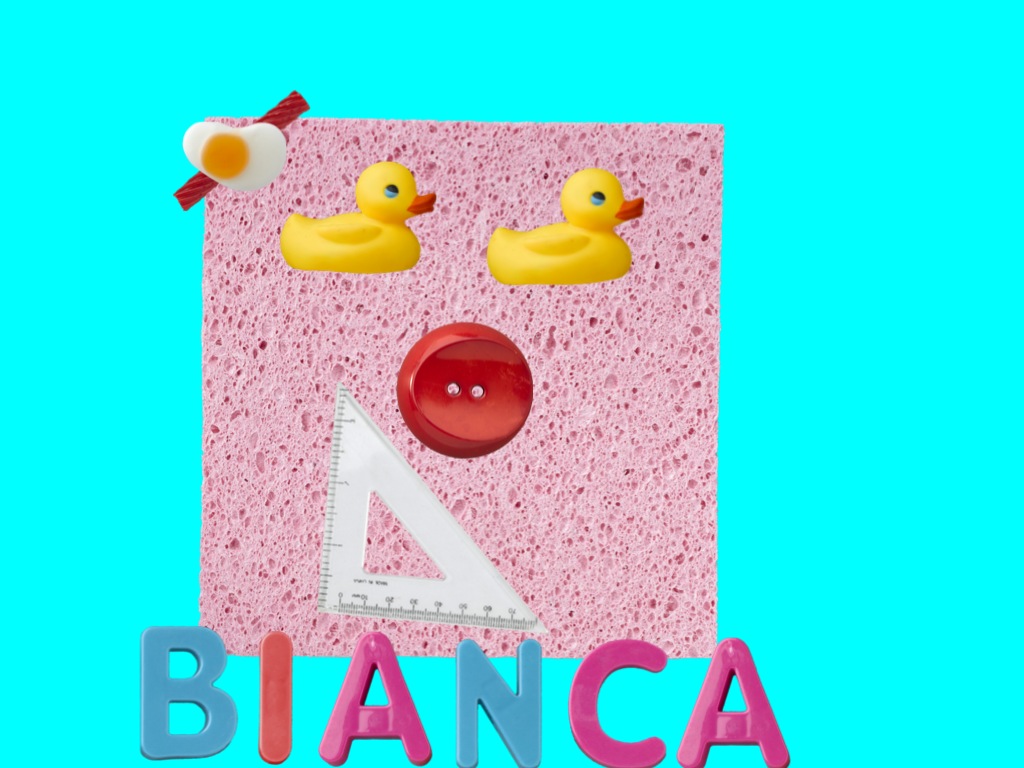
Faces iMake and descriptive writing
I love this app! It is very funny and really gets the right brain working. Students worked alone to create a funny face. Then, they saved their pictures to the photos on the ipad. I downloaded the photos to my computer and then printed them out. We are learning to write descriptive sentences in French using sentence frames (i.e. Voici __________. Il a___________. Il est __________.)
I printed their 'face' and they used it to write. The results were very impressive and lot's of fun to share. I love a lesson that involves laughter and imagination, and a lot of student engagement :)
What do you think? Have you used this app in your classroom?
Here are a few finished sentences and the whole class display. I also created a class book for students to read a share.
I printed their 'face' and they used it to write. The results were very impressive and lot's of fun to share. I love a lesson that involves laughter and imagination, and a lot of student engagement :)
Here are a few finished sentences and the whole class display. I also created a class book for students to read a share.
Friday, 3 February 2012
Sock puppets and oral language
It is Carnaval time in Quebec so we decided to celebrate by creating sock puppet conversations about it using the Sock Puppets app. Students were placed in groups of 3 with one iPad per group. Students selected their character, background and some props. Then they decided on a conversation about the things that happen during this important cultural festival. The audio records for 30 seconds. Once they were complete, we saved them and then shared them. I am looking to purchase a 'dongle' (Apple VGA Adapter) so that I can just hook the iPad to my projector to make sharing easier. The students thought the shows were hilarious!
This is a video of one of the sock puppet presentations.
Thursday, 19 January 2012
More classroom friendly apps
After more research and networking with other teachers, I have found a few more apps that I would like to recommend....
list #2
list #2
| Mini TFO (l’office des telecomm…) | ||
free | Thoughts a great app that was created by a television show (?) in Quebec it includes games and questions similar to the television show excellent oral French | |
Ace kids math HD lite | free | English app almost no language on the page only numbers |
Kids find and learn | free | downloads based on the language of the iPad so please change it to French for this |
Our story (iPhone app) by the Open University | free | a great app for taking pictures and then creating a story |
Devine qui vient jouer | free | also created by the television show in Quebec? lot’s of neat games with some very good oral French |
My story-story creator for kids | $1.99 | Love this app! An excellent way for students to draw pictures, add words and even record the oral |
Numerate-count, add and subtract | $0.99 | English app but students can turn the sound off and it demonstrates adding and subtracting in a simple form |
Stella and Sam story pack | $6.99 | |
$1.99 | Cute but simple vocabulary | |
$0.99 | French book |
Tuesday, 17 January 2012
Creating a cooperative story using My Story
Today I decided to throw caution to the wind and just jump right in. We are at the end of our Life Sciences unit on living things, with a focus on bears. I thought it would be fun for students to work together to create a story about a bear.
I wanted to do a lesson that involved some discovery learning. I showed students the iPad and what app we would be using-My Story-and then I put them in groups and sent them off. The only request I made was that the story should be about a bear. Length, and content was completely up to them. It was very exciting to see students all around the room huddled around their iPad deep in discussion. The language I was hearing was amazing!!!! It was like music to my ears.
(As an aside, I started a new reward system to encourage more French out of my very capable students. Every time I hear a complete sentence in French, I give the student a 50/50 ticket. He/she writes their name on it and then places it in my fish bowl. At the end of everyday, I pull a name to choose a prize from my box (pencils, erasers, pens, mini-pads etc). Wow, what a difference that made :) After 10 tickets students get a certificate to recognize their effort.)
Anyways, back to the story creating. Students were having a lot of fun. They were engaged, working collaboratively, problem solving and practicing their oral French skills. I moved around the room and provided some support to facilitate the creative process. After about a 40 minute period, I stopped the students and we shared the stories to that point. (I have requested a cable to connect the iPads directly to my projector to ease the sharing process but alas I do not have it yet so until then I simply held the iPad up while the students explained their story.)
Then I came to my first challenge. I had to create a log where I recorded which groups were working on which iPads as each story would be saved only to that iPad. I still have a few questions about this app:
1. How many stories can be saved?
2. How can I delete a story? (I made a test and now I can't delete it) I now know how to do this: simply return to the view books page and select delete....I don't know why I found this hard before.
3. What is the best way to share the stories? We used the 'share' button to export our stories to ibook.
4. What will happen when the iPad is updated? Will the stories remain if one iPad is simply a mirror of the others (I think they are all mirrors...)? I imagine no, so they will need to be emailed...I think...
5. If I load them to the iBooks section of the iPad will they still be there when it is restored?
Questions, questions......
I am looking forward to working on the stories again tomorrow. I will see about sharing the stories here once they are complete (ummm, I wonder how I do that?!)
Update February 1st, 2012
We completed our stories. Students recorded the audio that goes along with their story. Then we used the 'share' button on the app to export the stories to the ibook app as a published book. Students can view their stories and listen to the audio in the ibook app. Below are some photos of the students engaged in the process of creating their stories (and they were very engaged!). (It was crazy hair day!)
I wanted to do a lesson that involved some discovery learning. I showed students the iPad and what app we would be using-My Story-and then I put them in groups and sent them off. The only request I made was that the story should be about a bear. Length, and content was completely up to them. It was very exciting to see students all around the room huddled around their iPad deep in discussion. The language I was hearing was amazing!!!! It was like music to my ears.
(As an aside, I started a new reward system to encourage more French out of my very capable students. Every time I hear a complete sentence in French, I give the student a 50/50 ticket. He/she writes their name on it and then places it in my fish bowl. At the end of everyday, I pull a name to choose a prize from my box (pencils, erasers, pens, mini-pads etc). Wow, what a difference that made :) After 10 tickets students get a certificate to recognize their effort.)
Anyways, back to the story creating. Students were having a lot of fun. They were engaged, working collaboratively, problem solving and practicing their oral French skills. I moved around the room and provided some support to facilitate the creative process. After about a 40 minute period, I stopped the students and we shared the stories to that point. (I have requested a cable to connect the iPads directly to my projector to ease the sharing process but alas I do not have it yet so until then I simply held the iPad up while the students explained their story.)
Then I came to my first challenge. I had to create a log where I recorded which groups were working on which iPads as each story would be saved only to that iPad. I still have a few questions about this app:
1. How many stories can be saved?
2. How can I delete a story? (I made a test and now I can't delete it) I now know how to do this: simply return to the view books page and select delete....I don't know why I found this hard before.
3. What is the best way to share the stories? We used the 'share' button to export our stories to ibook.
4. What will happen when the iPad is updated? Will the stories remain if one iPad is simply a mirror of the others (I think they are all mirrors...)? I imagine no, so they will need to be emailed...I think...
5. If I load them to the iBooks section of the iPad will they still be there when it is restored?
Questions, questions......
I am looking forward to working on the stories again tomorrow. I will see about sharing the stories here once they are complete (ummm, I wonder how I do that?!)
Update February 1st, 2012
We completed our stories. Students recorded the audio that goes along with their story. Then we used the 'share' button on the app to export the stories to the ibook app as a published book. Students can view their stories and listen to the audio in the ibook app. Below are some photos of the students engaged in the process of creating their stories (and they were very engaged!). (It was crazy hair day!)
Here is a video of one of the stories the students created. Sorry for the poor audio but it was recorded during lunch.
(For all you French teachers out there, I am aware of the grammatical errors but I chose not to correct them in this context as it was not the goal of this task. I wanted to honor their efforts and cooperation and it was simply impossible for me to correct all of the errors while maintaining an efficient work-flow.)
Subscribe to:
Posts (Atom)